About
What is Vocalremover?
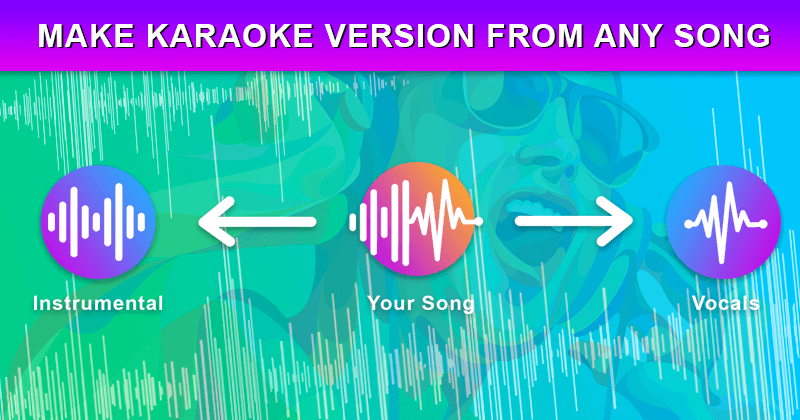
Vocalremover is an AI-powered audio tool designed to effortlessly remove vocals from any music track, providing users with instrumental and acapella (vocals only) versions. It supports a wide range of audio and video file formats, including .wav, .mp3, .flac, .mp4, and more, and can handle files up to 10GB. The tool utilizes artificial intelligence to separate vocals from instrumentals, delivering lossless sound quality and fast conversion times. Beyond vocal removal, Vocalremover also offers separation for bass, drums, piano, and other instruments, catering to professionals, DJs, and anyone looking to create backing tracks or karaoke versions. It provides various pricing plans based on conversion minutes, with options for monthly subscriptions or one-time top-ups, and offers 24/7 customer support.
Best used for
Ideal for content creators and DJs who need to quickly remove vocals from songs, create instrumental versions for backing tracks, and isolate acapellas for remixes. Especially valuable for musicians and performers looking to produce karaoke versions or practice with specific instrument tracks.
Common actions
acapella generatorvocal removerinstrumental extractor
Capabilities
Key features
- Vocal removal
- Instrumental creation
- Acapella creation
- Bass separation
- Drums separation
- Piano separation
- Video file support
Target Audience
content creatordj
Integrations
Not yet documentedPricing & Plans
Freemium · Paid · Usage-based
Not publicly disclosed. Check vocalremover.com for current pricing.
FAQs
How are conversion minutes calculated for Vocalremover's plans?
Conversion minutes are calculated based on the total length of audio or video processed. If a song is slightly longer than a whole minute, it's rounded up to the nearest whole number. For example, a 1-minute 28-second song counts as 2 conversion minutes.
Can Vocalremover remove vocals from video files?
Yes, Vocalremover can process entire video files up to 10GB, supporting formats like ogg, mov, mp4, and avi. After conversion, you can download the audio with vocals removed or the instrumentals removed.
How long are my converted files stored on Vocalremover?
Full file conversions are stored as long as your subscription is active or until you delete them. Sample files are stored for 3 days, and files for one-time users are stored for 30 days. Download your files before this period to prevent loss.